Showing posts with label photography. Show all posts

Friday, August 16, 2013

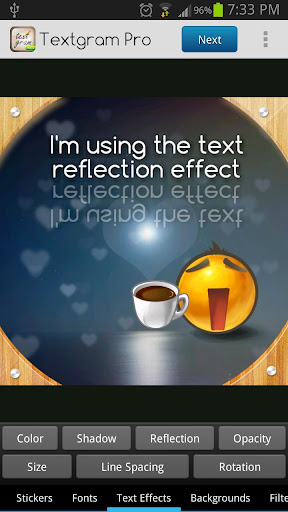
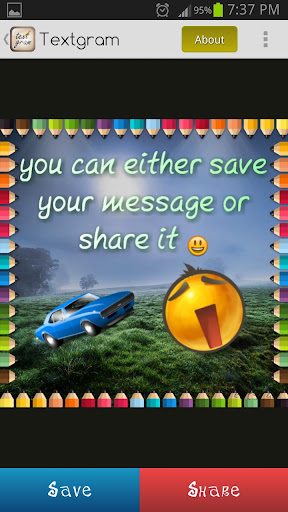
TEXTGRAM PRO V2.3.13

Create beautiful graffitis and share them with your friends on Instagram, Facebook, Twitter, Whtatsapp, Viber, Skype, SMS, MMS, EMail and More..
 

Pro Features:

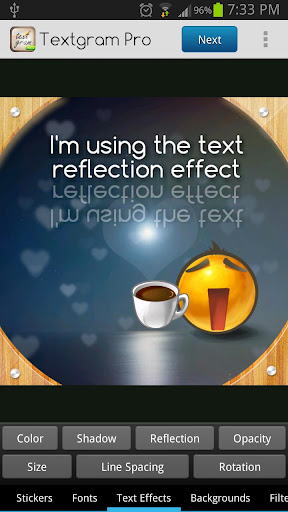
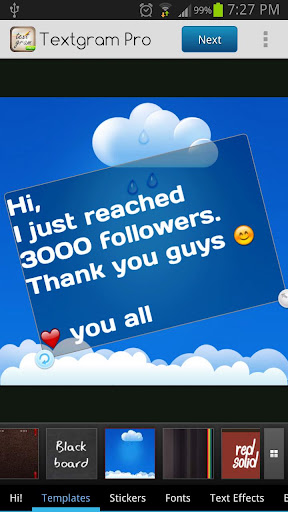
  • Text Rotation
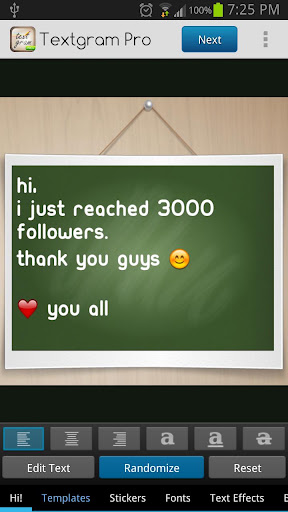
  • Frames
  • No Ads
What's in this version : (Updated : Aug 5, 2013)
  • Bug Fixes
  • Image quality issue fixed
  • Text Highlight Feature
  • New backgrounds
  • Improved UI
Required Android O/S : 2.1+

Screenshots :


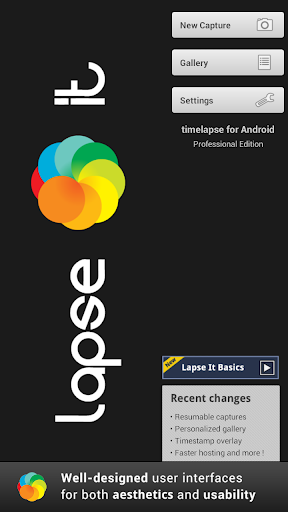
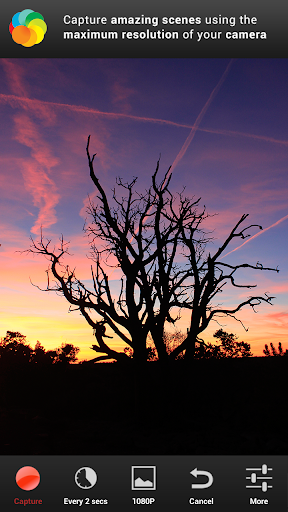
Lapse It • Time Lapse • Pro v4.1

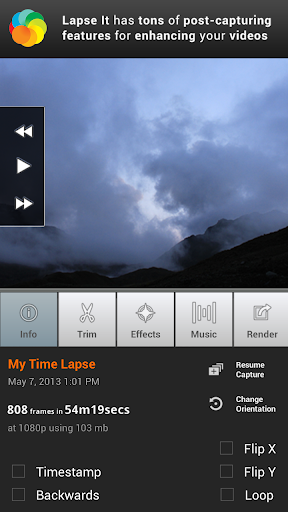
Lapse It is an award-winning full featured app for capturing amazing time lapse clips with your Android camera, simple, fast and intuitive.
Lapse It has a UNIQUE and POWERFUL native C++ render engine that allows you to creates spectacular videos, it is blazing fast, robust, support audio and has a fully featured range of settings to apply.

Lapse It • Time Lapse • Pro v4.1   https://app.box.com/s/kvnjct2uar2mlfv2qoeb   


Lapse It is the ONLY app in the Market with this powerful render engine, and the only one that really works rendering the videos in the Android proper format, so you can easily watch the videos on your phone, share it across the web and with other devices.

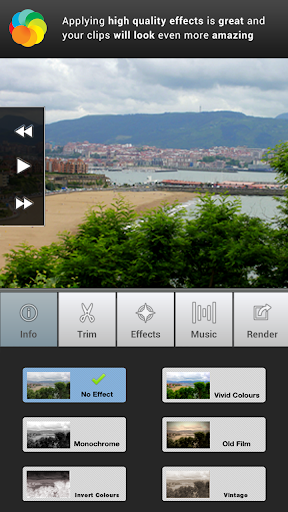
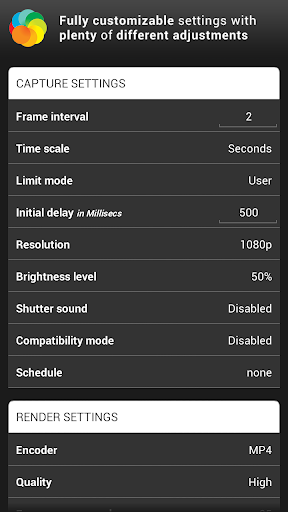
Also there's plenty of features, you can really customize your sequence of pictures in many different ways and will be easy to archive the desired result. You can even apply different stylish camera effects to them. Like Paper Camera, Vignette and Camera 360, and Camera Zoom )

POWERFUL AND UNIQUE FEATURES:
  • Capture stunning shots using the camera full sensor
  • Well designed UI improving visual and usability
  • Unique and blazing fast render engine
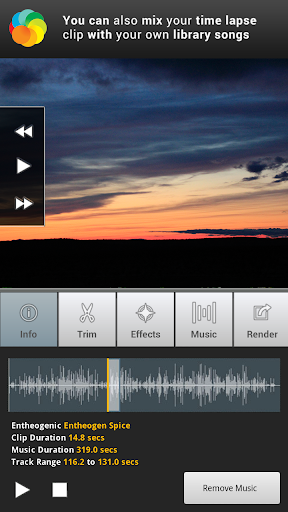
  • Ability to insert sound tracks
  • Customizable frame rate
  • Stop Motion Mode
  • Render to MP4, MOV and FLV
  • Upload directly to YouTube, Facebook, G+ and many others
  • Stunning different effects.
  • Adjustable focus, white balance and scene modes.
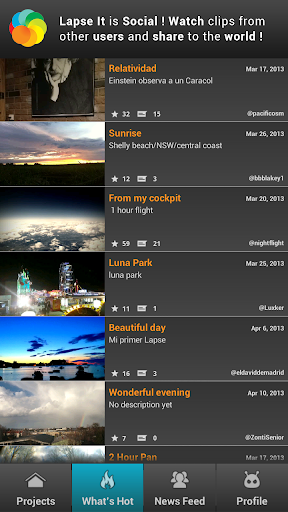
  • Built-in Time Lapse Social Gallery.
  • Video Trimmer
  • Reverse Time
  • Flip in any direction
  • Frequently updates and fast support
OTHER FEATURES:
  • Zooming
  • Silent camera ( Some phones doesn't support it )
  • Front facing camera
  • On screen information during capture
  • Easily adjustable full featured settings
  • No restrictions for capture length or frames
  • Tested and approved by more then 50.000 people
What's in this version : (Updated : May 17, 2013)
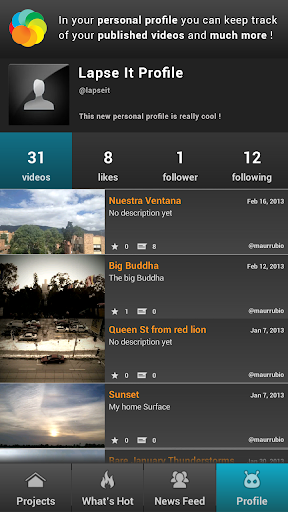
  • Personal profile on gallery.
  • Video stream where you can watch what has been published by the users you follow.
  • New host that is much faster, you will publish and watch videos without interruption.
  • Capture is now resumable.
  • You can also add the time that each picture was taken over the images.
  • If you have captured in the wrong orientation now you can adjust it rotating it properly
Required Android O/S : 1.6+

Screenshots :


Sunday, August 11, 2013

instaplace pro v1.2.1

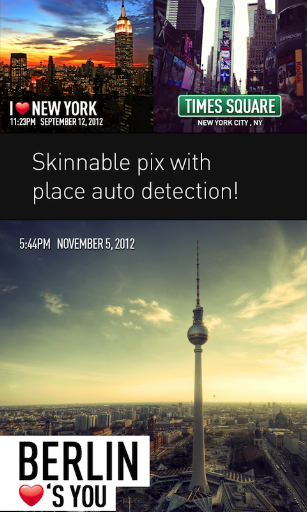
Add something special to them through the InstaPlace!
Sharing options : ★ Facebook ★ Twitter ★ Instagram ★ Foursquare

instaplace pro v1.2.1 https://app.box.com/s/9oruqmy9hrikm9u4qq01

If you like to share the photos of good meals we have special “delicious” skin for you.
Do you want to send immediately a virtual postcard from some beauty or interesting place – use the skin “greetings from…”

Maybe you want to share the photo of place which you are in love? InstaPlace have special skin for it!

InstaPlace is like a swiss army knife with various edges for any occasion. You decide how to use it!
Instaplace is your location overlay App for Instagram.
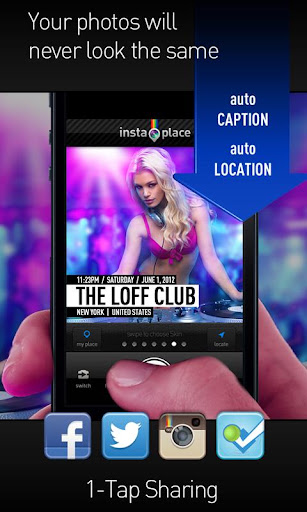
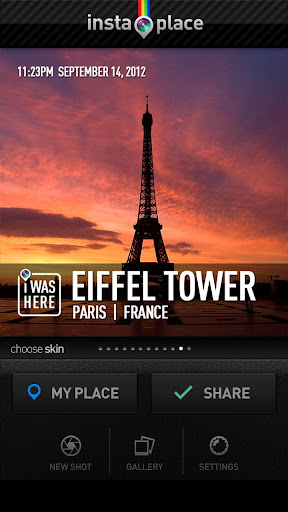
You can share on Instagram a photos with various desciptions from the place where your are now – on top of your favourite photo that you have just snapped with your iPhone.
By one finger move you can decide to put the description in top or bottom photo part.
Ready photo, customized by InstaPlace, can be easily posted to your Instagram, Facebook or Twitter!

What's in this version : (Updated : Aug 7, 2013)
  • SUMMER SET SKINS
  • images are optimized for Instagram and FB sharing
  • added Facebook Places
  • fixed support for 768x1024 phones
Required Android O/S : 2.2+

Screenshots : 


Tuesday, July 30, 2013

instacamera pro v2.0.0

Requirements: Android 2.1 and up
Overview: InstaCamera is the quickest way to take a photo with your phone.
 There's no long process: just press the widget and it takes a photo, then closes just as quickly.

 instacamera pro v2.0.0 https://app.box.com/s/ydx6nemdywtzmub7foae

Why should I pay for this when there's a free version?
 * This one's quicker. Like, seriously 'turbo computer-brains Skynet' quicker
 * There are no ads
 * You can choose the folder your images get saved in
 * Because you want to say "awesome!" with money
 Why is it so awesome?
 InstaCamera is perfect for when you want to take a photo but there's tons of pesky seals and squirrels and dogs around who you KNOW are gonna pop up in front to spoil the shot. And then they're all, 'oh, I was smelling something' but really they're jealous of your Android phone and opposable thumbs and want to ruin your whole day with their stupid faces. But you've got a super-fast camera app, so you've snapped a photo before they've even decided which face to pull. Take that, nature!
 Settings
 Even though the app is super-simple, you can change how it works. Open the settings (the wrench icon on the widget) and you can make these adjustments:
 * take multiple shots in a row (up to five)
 * mute the shutter sound
 * change the photo resolution (default is max)
 * set the shutter delay (from not-even-focusing to two seconds) in case your camera hardware needs extra time
 * stay in camera mode after taking instant photos (then you touch the screen to take more, and back button to quit)
 * choose the folder your photos get saved in
 There are two widgets: the 1x1, which is just the camera button, and the 2x1, which has a camera button and a settings button.
 Permissions
 We got it down to three permissions in this version:
 Storage: the app needs to save photos on your phone.
 Check License: it occasionally pings the Market and says it's legit.
 Hardware controls: the app needs to access the camera.

Photo Frame : Easy Collage v3.4

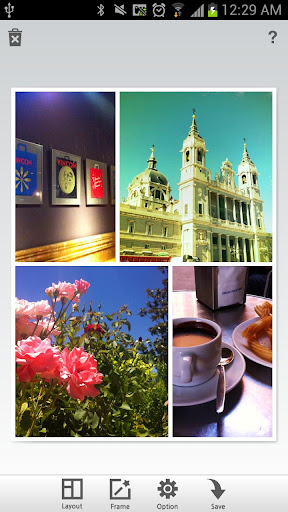
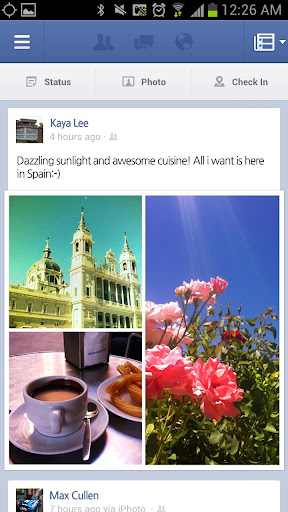
Would you want to share your photos to facebook, twitter and other SNS service only one photo?
 Photo Frame : Easy Collage v3.4 https://app.box.com/s/0fkl1ndy2beqhka5z4t4
Would you want to share your photos to facebook, twitter and other SNS service only one photo?
Then your choice is 'Easy Photo Merge'.
As you know, there are lots of photo editor apps in the market, but I swear 'Easy Photo Merge' is easiest way to merge photos.

Just use it right away and feel happy.
  • About 40 layouts
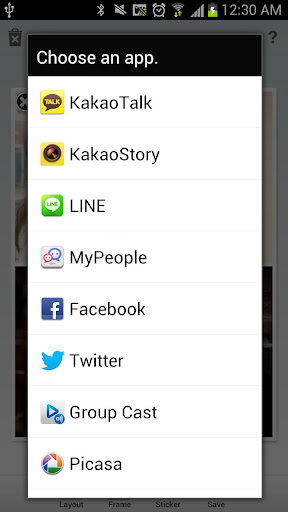
  • Share to SNS services ( facebook, twitter, instagram and so on )
  • Save to gallery
What's in this version: (Updated : Jul 26, 2013)
  • Add frame ratios to support wide ratio ( 3:2, 4:3, 16:9 )
  • Change the app name from 'Easy Photo Merge' to 'Easy Photo Frame'
Required Android O/S : 2.2+

Screenshots :


Tuesday, July 23, 2013

Photoshop Touch for phone v1.5.0 Apk Android


Bring the fun and creative possibilities of Adobe® Photoshop® software to your phone with Adobe Photoshop Touch for phone.

Transform your images with core Photoshop features. Combine images, apply professional effects, and share results with friends and family through Facebook and Twitter — all from the convenience of your phone. Enjoy most of the same features as the tablet version:


• Use popular Photoshop features, such as layers, selection tools, adjustments, and filters, to create mind-blowing images.
• Improve your photos using classic Photoshop features to bring out the best in your photography. Apply precise tone and color adjustments to your entire composition, a particular layer, or a select area.
• Create something other-worldly using painting effects, filter brushes, and so much more. With Photoshop Touch, the creative possibilities are endless.
• Make your images pop with graphical text. Apply strokes, add drop shadows and fades, and more.
• Take advantage of your device’s camera to fill an area on a layer with the unique Camera Fill feature.
• Quickly combine images together. Select part of an image to extract just by scribbling with the Scribble Selection tool. With the Refine Edge feature, use your fingertip to easily capture hard-to-select image elements, like hair.
• Start a project on your phone and finish it on your tablet* or back in Photoshop** at your desk using a free membership to Adobe Creative Cloud™.*** Your projects are automatically synced between your devices.
• Free membership to Creative Cloud provides 2GB of cloud storage.
• Work on high-resolution images while maintaining the highest image quality. Images up to 12 megapixels are supported.

Click Here To Download
Direct Download Link - Direct Download Link


Tuesday, July 16, 2013

Paper Camera v3.5.0

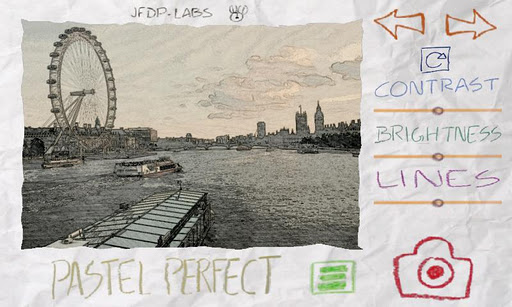
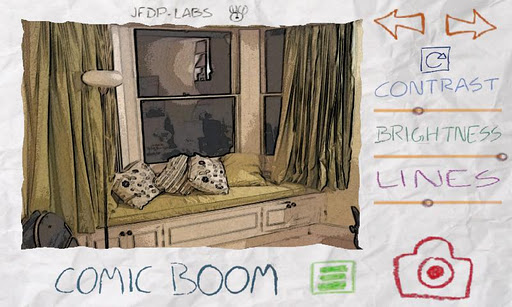
Real time cartoon and painting effects displayed on your camera feed! See the world through a new, original, stylish and captivating lens, have a wonder in your own home and discover how cool is now your world in cartoon!


Paper Camera v3.5.0 https://app.box.com/s/a900psnjyznpq43pw6ln

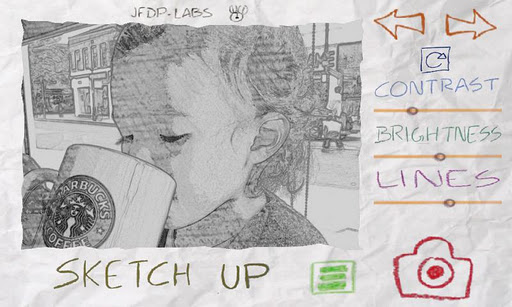
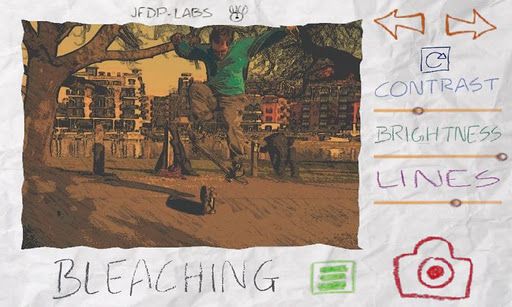
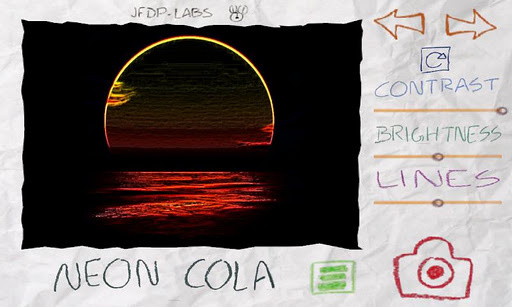
This is the ultimate collection of cartoon/sketch/comic book/half tone/noir/neon and many other effects painted directly in your camera, no more boring post-effects, it's all real time, you simply won't stop wandering, wherever you are, having a look at things and cartoon-ize them!

You can wave your phone around and see the world change before your eyes, take pictures using any of the stylish cartoon effects or apply them to your existing photos.

CURRENTLY WORKING ON:

  • Higher res pictures
  • Integration with more social networking sites
  • More filters
What's in this version : (Updated : Jul 8, 2013)
  • Higher definition UI for large and high density screens
  • New streamlined sharing flow
  • Always ask where to import images from
  • Fixed YouTube sharing not working first time if used within the gallery
  • Removed Facebook as a video sharing option
  • Fixed various potential issues
Required Android O/S : 2.1+

Screenshots :


Magic Hour - Camera v1.2.46

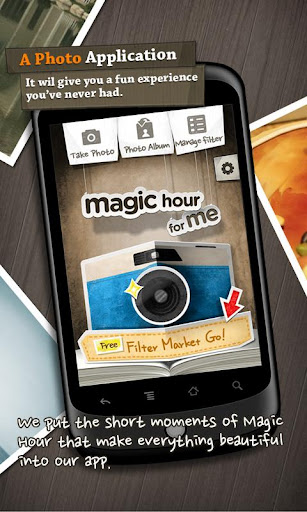
Magic Hour is an app that can transform your ordinary photos to extraordinary ones.
It will give you a fun experience you've never had.
We put the short moments of Magic Hour that make everything beautiful into our app
 Magic Hour - Camera v1.2.46 https://app.box.com/s/i8qq11za65slg39j5xyd

 
Capture the moments of daily life!
  • Use the grid, touch screen photo taking capabilities, flash capability (offered in the available devices) and front camera(offered in Galaxy S, S2, Nexus 2 with GingerBread).
  • "Save Original Photo" function.
Make your memories more precious!
  • By using 40 awesome filters we provide, turn your photos into work of art. It only takes a few taps.

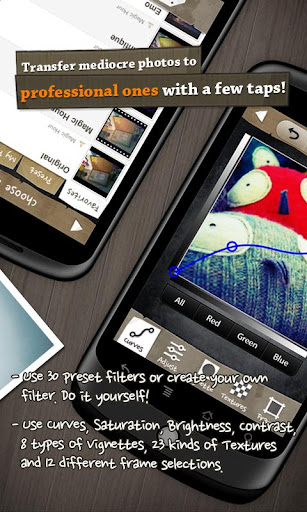
Transfer mediocre photos to professional ones with a few taps!
  • Use Curves, Saturation, Brightness, Contrast, 8 types of Vignettes, 23 kinds of Textures and 12 different frame selections.
  • Retouch the curves, brightness, contrast, vignette, textures, and frames of your photos. 
  • By doing so, you can make the filters suit your mood, taste and style. Also you can save your filters and use them again anytime.
  • Create filters and edit them anytime
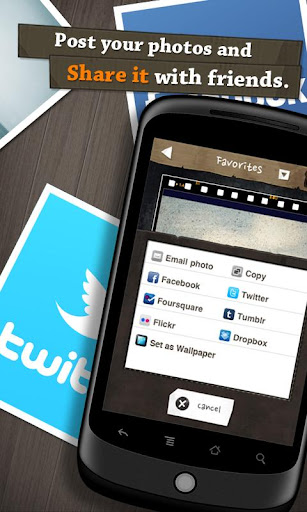
Post your photos and share it with your friends and the whole world.
  • You can share photos on social network services such as facebook, twitter, flickr, tumblr, WhatsApp, KakaoTalk! 
  • Choose your facebook wall or album, twitpic or yfrog via twitter or simply email it to your friends.
  • You can simply use Magic Hour on your Gallery share menu.
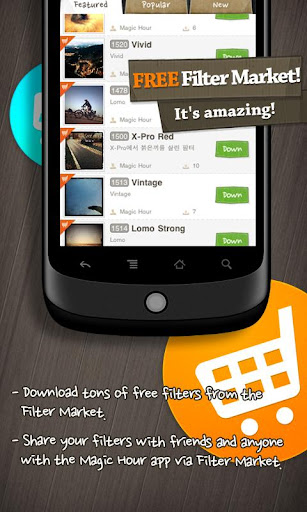
FREE Filter Market! It's amazing!
What photo app would be fun without updating it with new filters?
We provide you with unlimited filters from the Filter Market. You can upload your filters and share them with your friends and anyone with Magic Hour application.
  • Download tons of free filters from the Filter Market.
  • Share your filters with friends and anyone with the Magic Hour app via Filter Market.
Supported screen size"
  • 320x480, 480x800, 480x854, 600x1024
What's in this version : (Updated : Nov 1, 2012)
  • Save Filters to SD(Secure Digital )card.
  • (On this update, user's filters can be deleted)
  • In filtering, original picture's Photo Information(EXIF) save.
  • Manage Filter > My Filter was not uploaded-bug fixed.
  • Front camera supporting device added.
    (SKY IM-T100K, samsung SHV-E160S, samsung SHV-E160K, Galaxy s2lte sc03-d, LG-P940, LG-SU640, Galaxy S3 (SHW-M440S),Galaxy S3 (GT-I9300), HTC Raider, LG-SU540, samsung SGH-T989)
Required Android O/S : 2.1+

Screenshots :


Wednesday, July 10, 2013

deco sketch v1.8.2

"A wildly addictive app that adds a seemingly endless variety of geometric effects to your mobile images, giving them strong, eye-catching elements that are impossible to create with just photography and filters."

 deco sketch v1.8.2 http://www.mediafire.com/?a7vxovzx33xw274


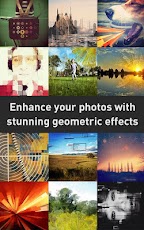
Enhance your photos to make detailed masterpieces or minimally affected compositions with Deco Sketch, the geometric effects and drawing suite for professionals and hobbyists. Featuring a diverse collection of unconventional brushes and presets, Deco Sketch lets you organize intricate patterned styles over simple photo filters to produce beautiful, completely original artwork.
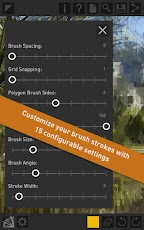
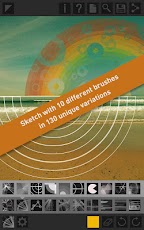
A vast selection of unique shape emitting brushes that includes customizable settings allowing creative manipulation of the flow, opacity, size, and angle of your draw strokes with various unique controls. Use one of the 130 presets or customize brush settings to suit your own tastes.
Simple enough for the mobile creator but with advanced tools for the professional designer.
Mobile artistry for the geometrically obsessed.
FEATURES:
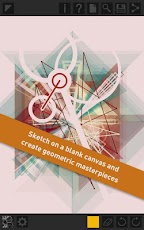
- Enhance your photos with amazing geometric effects and patterns
- Sketch with 10 different brush types in 130 different variations
- Customize your brush strokes with 15 configurable settings
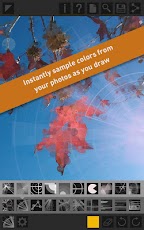
- Instantly apply color extracted from your photo to the geometry being drawn
- Sketch on a blank canvas to produce your own creation
- Output up to 8mp ( 2448 x 3264 ) for high-resolution printing capabilities
- In-app sharing to Facebook, Twitter and email in iOS 6
- Zoom, pan, undo and redo capabilities for precise creation
Less
Visit Developer's Website›Email Developer›

App Screenshots


What's New

What's in this version:
06/26/13
- Added support for Galaxy S4 and other 1080p devices
03/22/13
- Fixed zoom on retina tablets
- Updated social links in info panel
- Updated screenshots
03/14/13
- 2 new brushes with 26 presets
- 15 new presets for existing brushes
- Custom colors with new Eyedropper tool
- Added redo feature
- Quicker access to advanced color options
- Improved user interface
- General improvements through-out


Smoothie Photo Editor

Smoothie Photo Editor is one of the best application for photo editing for Android OS. Application has an intuitive interface in Holo style and supports storing of photos up to 13MP in size.
Our photo editor makes the use of advanced tools for photo editing easy and more pleasant. Additionally, as one of a few applications, it is equipped with functionality of undoing changes applied to the picture – in our opinion very essential feature for professional graphic editor.

 Smoothie Photo Editor http://www.mediafire.com/?olheiev5g45pli7

Photo effects and transformations that are possible thanks to our image editor:
Brightness, saturation and contrast adjustments – make your photos even more fantastic
Sharpness improvement – say goodbye to blurry shots
Caricatures – make your friends laugh by creating their caricatures
Exposition adjusting – overexposed picture is not a problem any more
Oil painting – give your picture amazing oil painting look
Pop art – make your picture look like as if it just left the Andy Warhol’s atelier
Focal blur – emphasize the most important - in your opinion – element of the picture
Text overlapping – choose your favorite font style and use the intuitive gestures for text manipulating in the picture
Gradients applying – choose your blending mode and colors in gradient
Vignette – use vignette to give your picture more professional look
Mems creating – make your friends laugh by means of accurate mem
Pixel mosaic – give your picture look of a unique mosaic
Lomo – make your picture look like as if it was taken with simple analogue camera
Color washing – wash your photo colors out to give them even more unique look
Retro – this effect will enable you to go back in time
Sepia – give your picture sepia tone
Hdr – thanks to this effect you will emphasize any detail
Cutting off and rotation – cut of and rotate to achieve the best results
Pattern applying – apply a pattern on your picture that makes your photo look even more original
Frames – put the finishing touches you have always dreamt of
Partial color removal – make your picture partially colorful and at the same time partially black and white. Smoothie Photo Editor will let you do it with an outstanding precision
Color adjustment – adjust the colors to give your picture an inimitable charm
Color curves – manipulate the curves and achieve the infinite number of interesting effects
Cross process and many others!
Required Android O/S : 4.0+
Screenshots :