Showing posts with label Apps. Show all posts

Sunday, September 23, 2012

Design and simulate electronic circuits on your Android Mobiles


Design and simulate electronic circuits!

All joking aside, this time you will understand how electronic circuits work.
"I stumbled upon some serious gold" - GeekBeat.tv
"A fully realized circuit simulator" - EDA360 Insider
Build any circuit, tap play button, and watch dynamic voltage, current, and charge animations. This gives you insight into circuit operation like no equation does. While simulation is running, adjust circuit parameters with analog knob, and the circuit responds to your actions in real time. You can even generate an arbitrary input signal with your finger!

That's interactivity and innovation you can't find in best SPICE tools for PC like Multisim, LTspice, OrCad or PSpice (trademarks belong to their respective owners).
EveryCircuit is not just an eye candy. Under the hood it packs custom-built simulation engine optimized for interactive mobile use, serious numerical methods, and realistic device models. In short, Ohm's law, Kirchhoff's current and voltage laws, nonlinear semiconductor device equations, and all the good stuff is there.

Growing library of components gives you freedom to design any analog or digital circuit from a simple voltage divider to transistor-level masterpiece.

Schematic editor features automatic wire routing, and minimalistic user interface. No nonsense, less tapping, more productivity.

Simplicity, innovation, and power, combined with mobility, make EveryCircuit a must-have companion for high school science and physics students, electrical engineering college students, breadboard and printed circuit board (PCB) enthusiasts, and ham radio hobbyists.

Free version has limited sandbox area, but it can still impress you. If you need a larger playground, a full version is available. The full version will employ all of your imagination, and all the screen area of your tablet.

Thanks to Prof. N. Maghari for technical discussions, feedback, and help with designing circuit examples.

Features:
+ Animations of voltage waveforms and current flows
+ Animations of capacitor charges
+ Analog control knob adjusts circuit parameters
+ Automatic wire routing
+ Oscilloscope
+ Seamless DC and transient simulation
+ Single play/pause button controls simulation
+ Saving and loading of circuit schematic
+ Mobile simulation engine built from ground-up
+ Shake the phone to kick-start oscillators
+ Intuitive user interface
+ No Ads

Components:
+ Sources, signal generators
+ Controlled sources (VCVS, VCCS)
+ Resistors, capacitors, inductors, transformers
+ Potentiometer, lamp
+ Switches, SPST, SPDT
+ Diodes, Zener diodes, light emitting diodes (LED)
+ MOS transistors (MOSFET)
+ Bipolar junction transistors (BJT)
+ Ideal operational amplifier (opamp)
+ Digital logic gates, AND, OR, NOT, NAND, NOR, XOR, XNOR

Next:
+ More components
+ Zoom
+ Display of current waveforms

Download link
 EveryCircuit

Thursday, September 20, 2012

EasyMoney - Manage your personal finance anytime anywhere using your Android Device

Manage your personal finance anytime anywhere with EasyMoney expense manager!
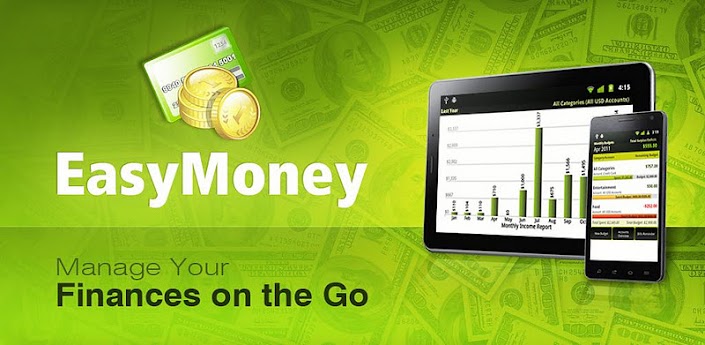
EasyMoney is the #1 money manager app that combines an expense manager, a bill reminder, a checkbook register and a budget planner!

EasyMoney expense manager provides a rich, detailed window into your personal finances and daily money management needs. 

Track and manage daily expenses quickly & easily! Business expenses, personal expenses, travel expenses etc can all be managed rapidly using EasyMoney expense manager's simple and intuitive user interface. 

Interactive reports & graphs let you analyse income, expenses, cash flow and balance over various date ranges and accounts.

To more effectively manage your budgets, you need a budget planner that makes keeping track of your expenses fun and easy. The integrated budget manager within EasyMoney lets you set monthly budgets on specific accounts and/or categories and monitor them via color-coded budget health bars that warns you when you are about to exceed your budgets.

Also integrated is a bill reminder that helps you avoid nasty late fees by issuing you timely reminders to pay your bills. You can even take a picture of your bills or invoices to keep a digital record.

Full list of extensive features include:
-Split transactions supported for more detailed income & expense management
-Export captured data as QIF & CSV to desktop money managers (eg. Quicken) for expense reporting etc.
-Includes a Home Screen Widget for even faster expense management & tracking. Add transactions straight from the home page once you enable the widget - great for daily expense tracking!
-Receive notifications of upcoming and overdue bills - for both one-time payments as well as recurring bills
-Set monthly budgets on specific accounts and/or categories and monitor them via color-coded budget health bars
-Fully customizable income and expense categories for more accurate budget planning.
-Take Photos of Bills & Receipts
-Integrated Checkbook Manager
-Track and manage expense and income for multiple accounts in multiple currencies
-Setup repeating transactions
-Support transfers between accounts
-Lock application using a 4-digit security pin
-Backup data onto SD card
-Daily automated backup creation
-30 days free trial!

EasyMoney was included in LifeHacker Magazine's list of the top 5 best mobile personal finance tools in January 2011. 

The recent publication - Amazing Android Apps for Dummies - also included EasyMoney as a featured personal finance application.

This app is not just for money lovers! Whether you are looking for a better daily expense manager or trying to stay out of debt and be money wise, EasyMoney is definitely the ideal tool to stay on top of your finances.

Download link

Sunday, September 16, 2012

Stock CM9 Dark Holo Themed MMS - Free Download


This is a stock MMS application for CM9. The only change is that it is dark holo themed instead of light.
This will not work on TouchWiz without modification or running it alongside of your stock mms application.


 Instructions:
It's a system app. Use a root explorer to move the application into your system/app directory, or, even easier, push it to /system/app with adb:

Code:
adb push Mms.apk /system/app
That's all there is to it.

 Downloads :

MMSb.apk
Mms.apk


Saturday, September 15, 2012

Change your Android Mobile status bar using this simple Application


Anotify,No more Boring Status bar,Fancy Status bar for your phone.

Anotify: No more boring Status Bar!

Give your phone fancy status bar.

Anotify is An Android application to give your device status bar a fancy look by adding your favorite icons in status bar.

Icons Included:
*Android
*Windows
*Batman
*Superman
*Spiderman
*US flag
*UK flag
*Indian flag
*Mario
*ferrari
*Ironman
and many more.....
Updated version with more icons will be available soon.


Download link
Anotify

Thursday, July 26, 2012

Nexus 7 or Kindle Fire,Which One Should You Buy?

Nexus 7
Nexus 7 and the Kindle Fire are two hot and favorable android tablets at present,and most of people cannot decide to buy which one.My suggestion is buy the Nexus 7 unless you're a huge Amazon user. Then get the Fire.

There you go. No beating around the bush. Just a simple answer. Or is it?

Let's regroup for a second and really look at the question. The Kindle Fire is Amazon's $199 7-inch Android-based Kindle device. It's WiFi-only. The Nexus 7 is Google's $199 7-inch Android device. It's also WiFi-only.

Now you can see why there's some level of confusion. The two devices are the same size and the same price. There are some differences, however.

Physical device

The Kindle Fire weights 2.6 ounces more than the Nexus 7. It's 14.6 ounces, while the Nexus 7 is 12 ounces. In a handheld device, 2 ounces is something you'll notice.

More to the point, the Nexus 7 is a lot more machine for your $199. It's got a much faster CPU, a graphics processor, twice the RAM of the Kindle Fire, and (for an extra fifty bucks) can store twice as much as the Kindle Fire.

On raw horsey-power, the Nexus 7 gets the win.

Android OS

Although both devices are based on Android, you'd be hard-pressed to notice Android on the Kindle Fire. The Kindle Fire is a Kindle first, with Android 2.3 running underneath, hidden from view.

On the other hand, the Nexus 7 is Google's current benchmark tablet, running Android 4.1 (otherwise known as Jelly Bean).

On Android compatibility, the Nexus 7 gets the win.

Software compatibility

Here's where things start getting interesting. You'd think the Nexus 7 would run more Android apps, but because it's the first Jelly Bean product in a 7-inch tablet form, many Android apps (like Instagram) won't run because they check the version number. 4.1 is higher than many apps are comfortable with.

On the other hand, the Kindle Fire runs apps primarily from the Amazon app store. While you can side-load regular Android apps, there's some hoop jumping involved.

When it comes to software compatibility, at the time of writing, neither wins the top slot. It's a draw.

Gaming

There are quite a few nice, little games for the Kindle Fire. But the Nexus 7 has a built-in Tegra 3 T30L graphics processing unit. Almost, without a doubt, and especially since the system also has twice the RAM, the Nexus 7 will be the better gaming machine.

Nexus 7 gets the win.

Security

This one is interesting. Android security is somewhat problematic, especially if you decide to download apps from secondary app stores. Apps purchased through Amazon have a much higher chance of being safe. In fact, the entire Kindle experience is tied into your Amazon account, and is secured by Amazon's relatively strong attention to detail.

For security, the Kindle Fire gets the win.

Media

Here's where Amazon takes the lead from Google. Amazon has a rich media experience, and also provides a substantial library of free movies and TV shows to Prime customers. Google Play isn't nearly as good. Jason Perlow also pointed out that only actual Kindle devices (not just those devices running Kindle software, like an iPhone), can take things out from the Kindle Lending Library. So if you want to read best-sellers for free, the Fire is your best bet.

On the other hand, the Nexus 7 will play that media better, because it has substantially more power and a higher-resolution display.

We'll call this a draw.

Which should you get?

Without a doubt, the Kindle Fire is a Kindle, while the Nexus 7 is an Android tablet. If you want a Kindle more than you want an Android tablet, then you might be happier with the Kindle Fire. Likewise, if you want to stay out of the morass that is the Android ecosystem and just want to stay in the welcoming, comforting arms of Amazon, you'll be happier with the Kindle Fire.

Kindle FireOn the other hand, if you want a powerful, inexpensive, solidly designed pure Android tablet, the Nexus 7 is a no-brainer.

My wife and I have two iPads and two Kindle Fires at home. I'm honestly thinking about selling my Kindle Fire and getting a Nexus 7 to replace it. If you do decide to sell your Kindle Fire, make sure you remember to decommission it before you sell it. Otherwise, the device has access to your entire Amazon account.

Hmmm...maybe the Kindle Fire isn't that secure, after all.

from zdnet